Installation
Follow these instructions to get started with Signal K. Please don’t hesitate to ask the community for help if you run in to trouble.
Installing your Signal K server
A Signal K server, is basically a webserver with the ability to read marine data and create web pages and web apps that uses this data. As a result, nearly any computer can be used as the hardware for a Signal K server, although a certain level of performance is required to avoid slow loading of web pages, etc. If you have an old laptop, then this would make a good initial test platform, although for permanent use on a yacht, a more power efficient hardware like a Raspberry Pi might be a better choice.
If you do decide to use a laptop (or desktop), then you should have no problem running all Signal K software on Windows, OS X or Linux, with Linux being the most tested and used operating system for Signal K.
Currently the most cost effective, powerful and best supported hardware platform for a Signal K server is the Raspberry Pi. Any Raspberry Pi (even the very first model) can be used but for best performance we recommend the latest RPi 3 model B+ or the new RPi 4 model B.
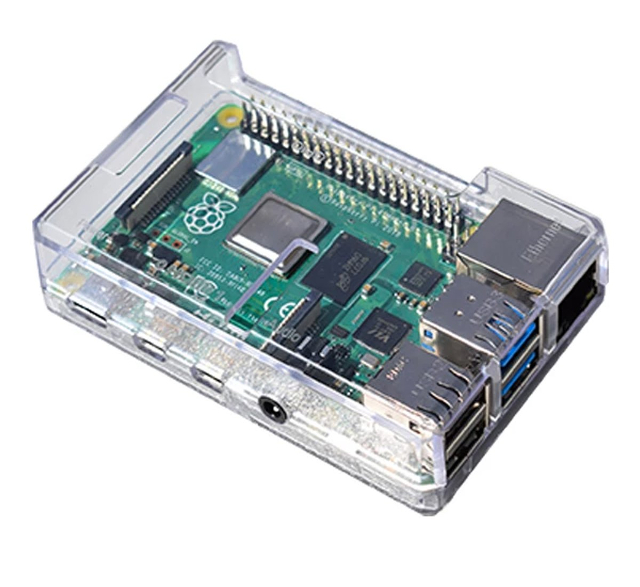
With starter kits that include everything you need for around $50 USD, you can understand why they are so popular. There are a number of models, but the Raspberry Pi3 or Pi4 models are probably the best to go for as they include a Wi-Fi adaptor that can turn it in to a mini-wireless router, allowing you to serve up web pages to your mobile devices with no additional equipment. It runs from a 5v DC Micro USB plug (same as Android phones/tablets/Kindles), so you will need one of these USB cables plugged in to a 12v to USB type charging point on your boat to power it.
The Signal K server reference design is written in NodeJS and is referred to as the “Node Server”, which dates back to when there was a second reference design written in Java. Unfortunately, the “Java Server” is no longer maintained and all development efforts are being focused on the “Node Server”.
The “Node Server” is maintained on GitHub and a detailed “Getting Started” guide is also available - Signal K Node.js on Raspberry Pi
Interfacing to Other Devices
Most equipment on boats use NMEA 0183, NMEA 2000 or proprietary interfaces to communicate with each other. A lot of work has been done within the Signal K community to convert these different data formats in to Signal K. One option is to use an iKommunicate Gateway to convert NMEA to Signal K, but if you want to use the raw data to access proprietary sentences, PGNs, etc. then the following are recommended;
NMEA 0183
There are a number of NMEA to USB adaptors around from Actisense, Digital Yacht and Shipmodule, which allow bi-directional transfer of the NMEA 0183 Serial data (electrically similar to RS-422) and convert it in to a USB virtual COM Port when plugged in to the Signal K server.
In Linux the virtual COM Port will be seen as a device called /dev/ttyUSB0 (the number could be different if there are multiple USB-to-serial adapters connected). Linux assigns these device names automatically when the device is connected, so it could change. If you want to ensure that the device always has the same name, you will need to write a UDEV rule to specify an alias. See creating UDEV rules for details.
To verify that you have a working connection, you can use picocom or another terminal emulator to see if you are receiving data. The default baud rate for standard NMEA 0183 is 4800, whilst AIS and multiplexers use NMEA 0183(HS) at the “High Speed” 38400 baud rate.
$ picocom -b 4800 /dev/ttyUSB0You should see NMEA 0183 sentences scrolling off the screen. To exit picocom press Ctrl-a followed by Ctrl-x.
NMEA 2000 Instruments
See How Do I Integrate with NMEA2000 in the Signal K server FAQ.
Proprietary Interfaces
There are a number of proprietary interfaces in the marine industry and by their nature, they tend to be pretty “closed” formats, that the manufacturers who create them, keep confidential. With Signal K being an open source data format, we are keen to support as many interface formats as possible and are working hard to encourage manufacturers to open up their proprietary formats.
The most common proprietary format in the marine industry is arguably SeaTalk™ which was developed by Autohelm in the 1990s and trade mark is now owned by Raymarine Limited. SeaTalk uses the same 4800 baud rate as NMEA 0183 but allowed bi-directional serial data transfer across the network down one data wire.
Even though Raymarine no longer make a SeaTalk 1 interface, there are a number of 3rd party solutions that either convert to NMEA 0183, which both of the Signal K servers can read, or convert to a raw $STALK format that allows more control and access to the SeaTalk data. One such interface that handles both types of SeaTalk conversions is the ST-NMEA interface from Digital Yacht.
Signal K server also includes Seatalk 1 support (a bit of DIY hardware required).