· Christian Wegerhoff · Case Study · 7 min read
Steering My River Boat with an Apple Watch and Signal K
A turn of the Digital Crown changes my boat’s course. Here is why I use it, how Signal K makes it possible, and what you need to try it on your own boat.
When I was building my river boat, I knew I wanted an autopilot. I’d seen how a day on the water could turn out: family and friends enjoying themselves on the bow, while I sat alone at the helm. I wanted to sit with them.
On rivers and canals, you’re constantly following bends and adjusting for traffic. You don’t just set a heading and forget about it for an hour. I still needed to steer and keep an eye on things, just from somewhere else on the boat.
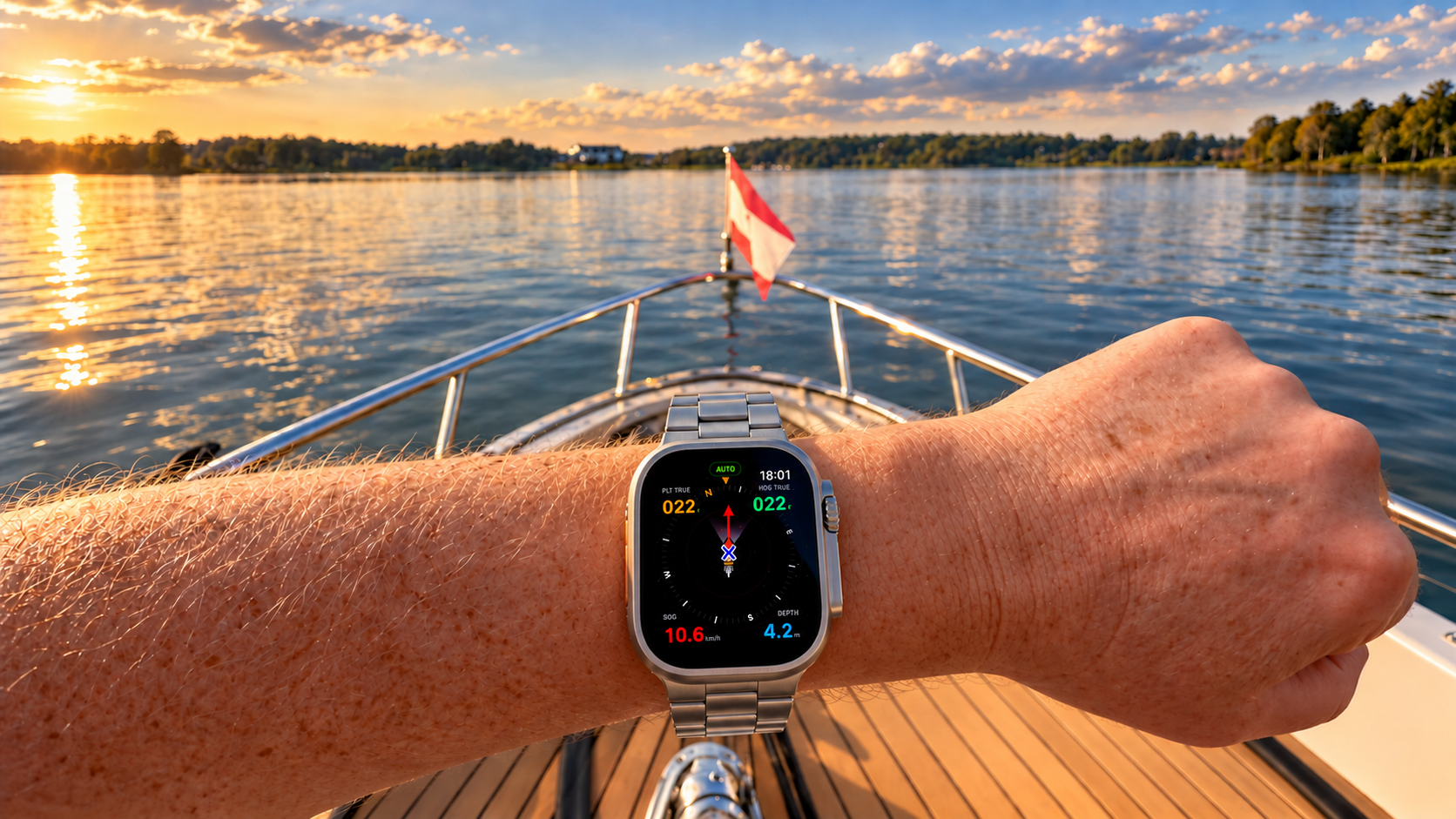
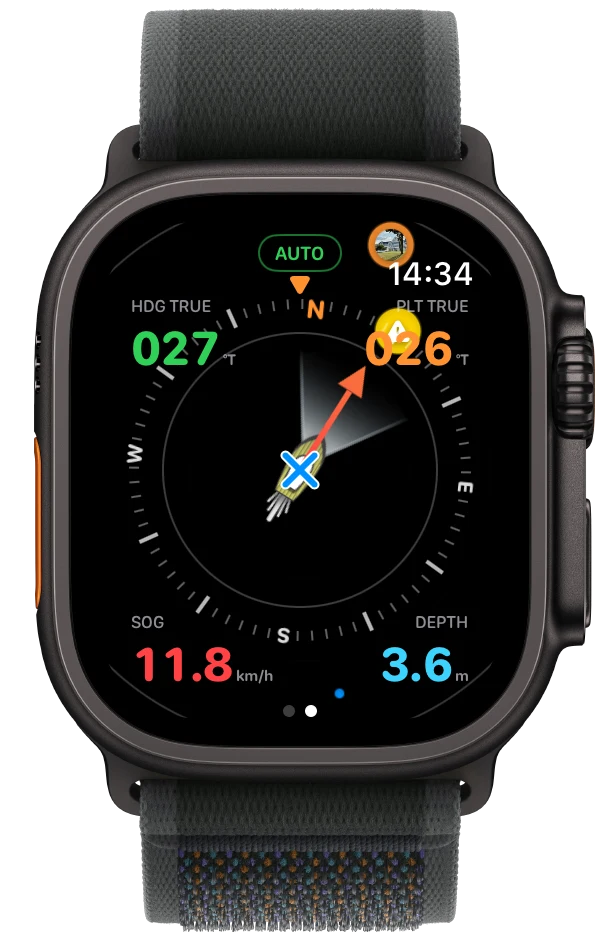
These days, I make those course corrections by turning the Digital Crown on my Apple Watch. Signal K makes the connection to my existing autopilot possible.
I use Rivers & Seas, the app I develop. It’s a boating navigation app for iPhone and iPad, with an Apple Watch companion. Its maps and navigation work without Signal K or an autopilot. Connect it to Signal K, though, and you can bring in live boat data and, with a compatible pilot, steer from your wrist.
The remote worked. The Watch feels better.
My boat has a Raymarine X30 autopilot. I chose and tested it for this kind of use, and for years I steered with its wireless remote. It did the job. I could sit with everyone else and make course corrections as we went along.
But I always had to remember the remote. Reception could be patchy in different places on my steel boat, and every adjustment came with a beep. Press for one degree, hold for ten. Find it in my pocket, find the right button, press it, put it away again.
The Watch is already on my wrist. A quick reach across and a small turn of the Crown is all it takes. What I particularly like is the feel of it: the amount I turn the Crown relates to the course change I want. That feels much more natural to me than pressing a button over and over. And no beeping.
The connection has also been more reliable in my installation. The Watch can reach my iPhone over Bluetooth or the boat’s WiFi, so I’m not limited to remote control range. The iPhone connects to Signal K and can stay locked in my pocket with Rivers & Seas running in the background.
I use it when I’m sitting on the bow with family or friends. It’s also handy when approaching a harbour at low speed and getting the fenders ready. I can make a small correction with a touch at my wrist while keeping watch, without rummaging for a remote.
The funny thing is that I now often use it even when I’m sitting at the helm, right in front of the wheel. I just prefer the Crown.
On the Apple Watch Ultra, the Action button can switch between Auto and Standby through a shortcut. That gives you a physical button as well as the Crown. On iPhone and iPad, the selected heading appears as an arrow on the map. I can see where I’m asking the boat to go and change course simply by dragging the arrow. It all works with the same pilot.
It’s practical, a bit nerdy, and honestly, it’s fun.
This is why I like having Signal K on board
The Watch doesn’t need to understand Raymarine’s commands. Rivers & Seas talks to Signal K, and the autopilot plugin handles the connection to the pilot through the boat network. My existing autopilot still does the steering.
That’s what I like about Signal K. The equipment is already on the boat, but suddenly I can use it in a way that wasn’t available before. I haven’t had to replace the pilot just to get a different way of controlling it.
The same connection also brings the boat’s heading, speed, depth and tank levels to my wrist. When I’m filling up with water or diesel, or pumping out the blackwater tank, I can check the level on my Watch instead of peering through a window at the display inside the boat. The app also gives me a haptic nudge when the tank I’m filling is nearly full or the blackwater tank is nearly empty.
I’ve written before about connecting EmpirBus, HomeKit and Victron with Signal K. Steering from my Watch is another reason I’m glad I installed it.
For this setup, the commands travel from the Watch through the iPhone and the boat’s WiFi to Signal K, then through the autopilot plugin to the pilot. It all happens locally on board, without an internet connection. The normal pilot instrument still works, and changes made there show up in the app too.
Of course, I’m still driving the boat. This is heading control, not something that follows river bends or avoids other boats for me. Then again, it would technically be possible to have the boat follow OpenStreetMap waterway lines automatically. Hold my beer! 🤓
What you need to try it
You need a Signal K server connected to your boat’s electronics and local network, plus an autopilot supported by the Signal K autopilot plugin. My experience is with the Raymarine X30, so check the plugin’s current documentation for your own pilot before buying anything.
A compatible Victron GX device running Venus OS Large can host Signal K. A Raspberry Pi is another option. You may already have part of what you need on board.
I’ve put the details into three guides, so you can start wherever you are with your installation:
- Get your boat data into Signal K and Rivers & Seas.
- Connect a compatible autopilot to Signal K.
- Use the controls on iPhone, iPad and Apple Watch.
And yes, Siri works too
I can even control the autopilot with Siri. I had to try it.
I wouldn’t use it for actual navigation. Siri sometimes needs a second attempt, and I don’t want to repeat myself when I’m trying to steer. I’ll stick with the Crown. But as a little demonstration of what’s possible, it does make me smile.
There’s a navigation app behind all this
The autopilot controls are my favourite extra, but most of Rivers & Seas is about a much more ordinary question: what’s ahead of me?
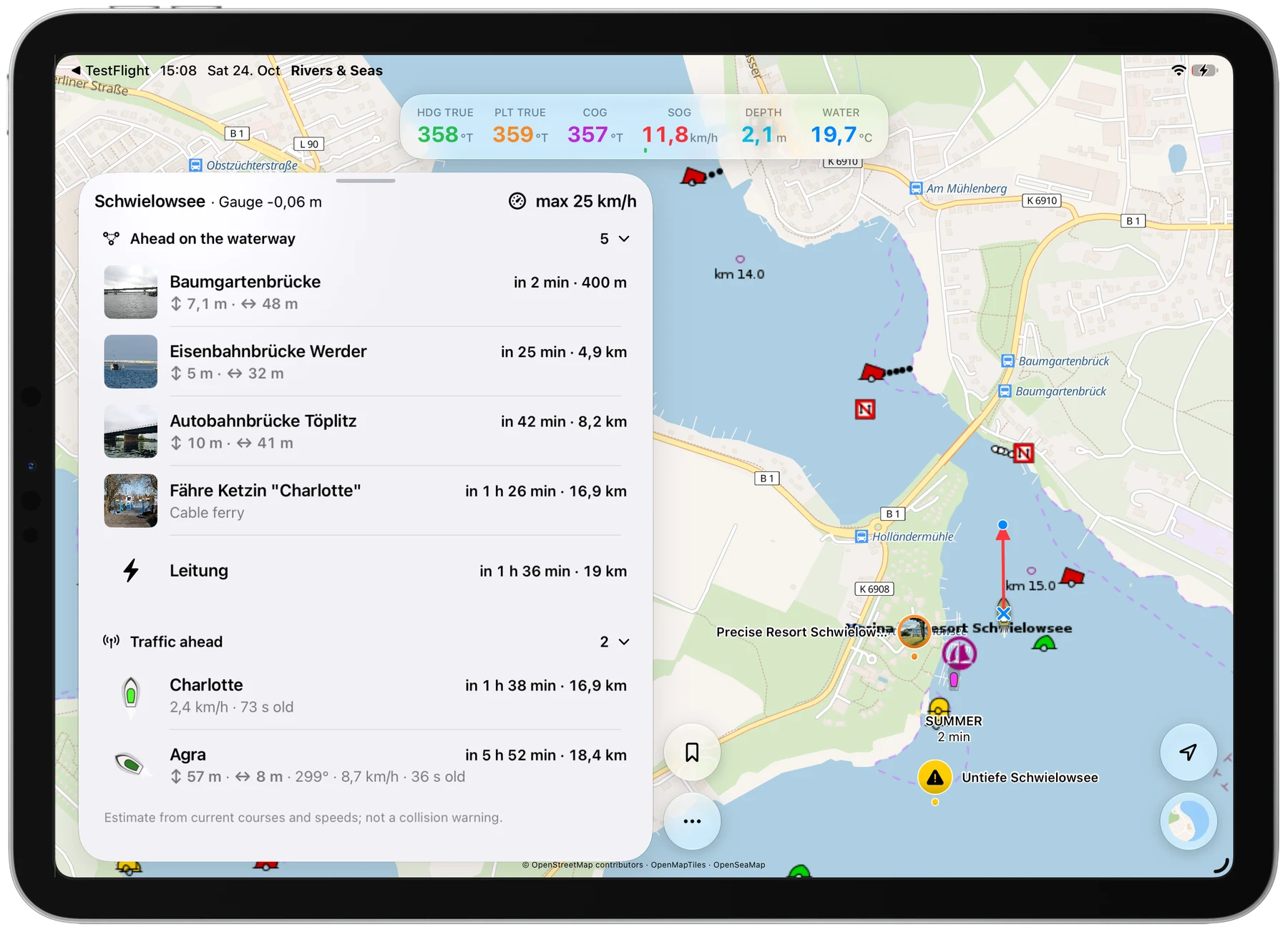
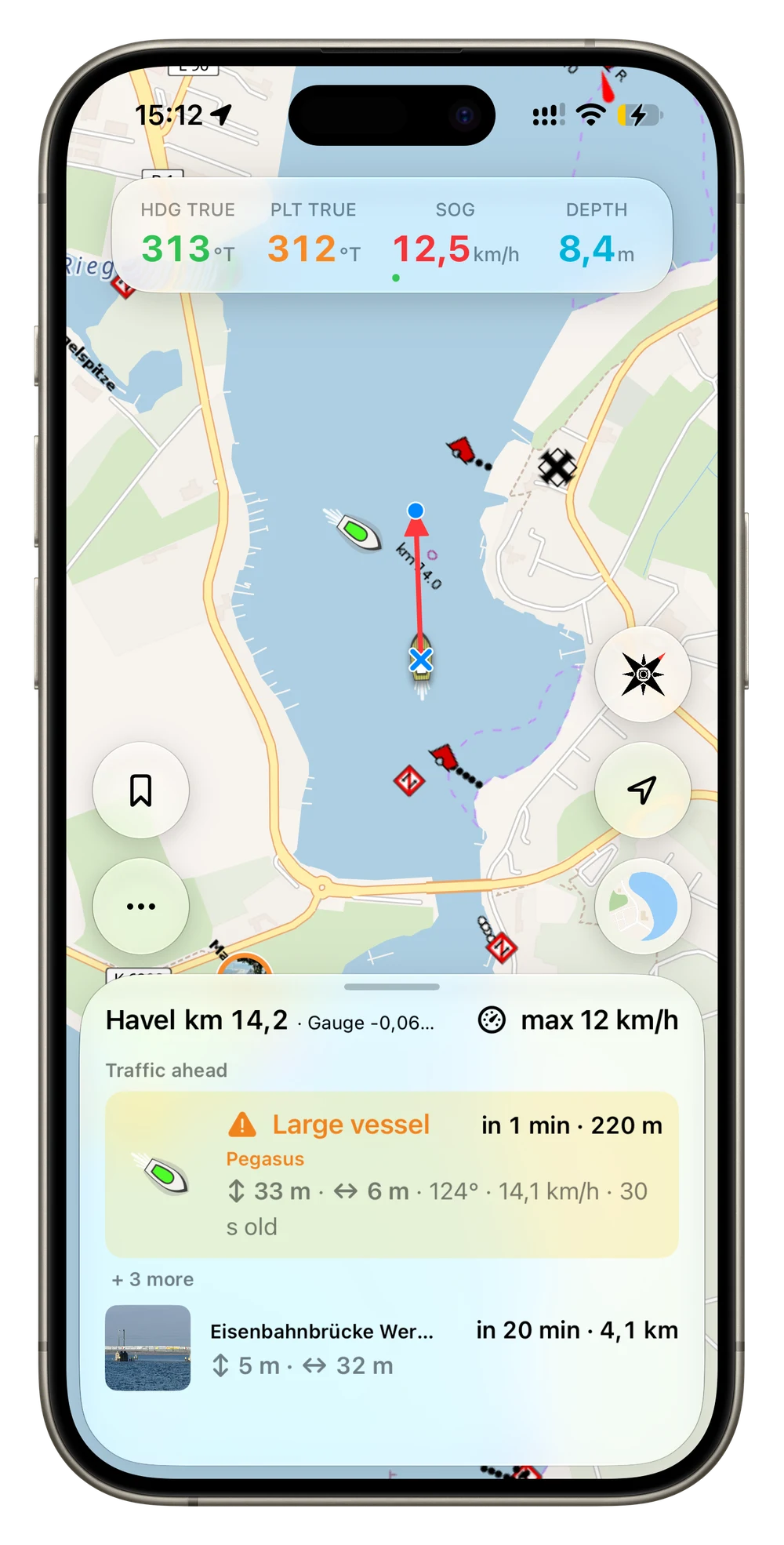
You can open the map and set off without plotting a route first. As you travel, the app shows available information about upcoming bridges, locks, navigation notices and vessel traffic, with distances and estimated arrival times where applicable. That’s useful whether you steer with a wheel, a tiller or a watch.
You don’t need Signal K for the maps and navigation. It adds live measurements from your own boat, such as heading, speed and depth. What you see depends on your sensors and the available waterway and traffic data.
These screenshots show the app with Signal K connected, including the optional autopilot controls.
You can find more ways to use your boat’s data among the Signal K applications and solutions. For me, the best part is still sitting with my family and friends and enjoying the trip together. Steering with my watch just makes it a little more fun.
Thank you
Huge kudos to Scott Bender (@sbender9), Teppo Kurki (@tkurki), and the whole Signal K community. You’ve built a brilliant platform that keeps getting better, and I’m grateful for all the work that goes into it. It makes projects like this possible.